

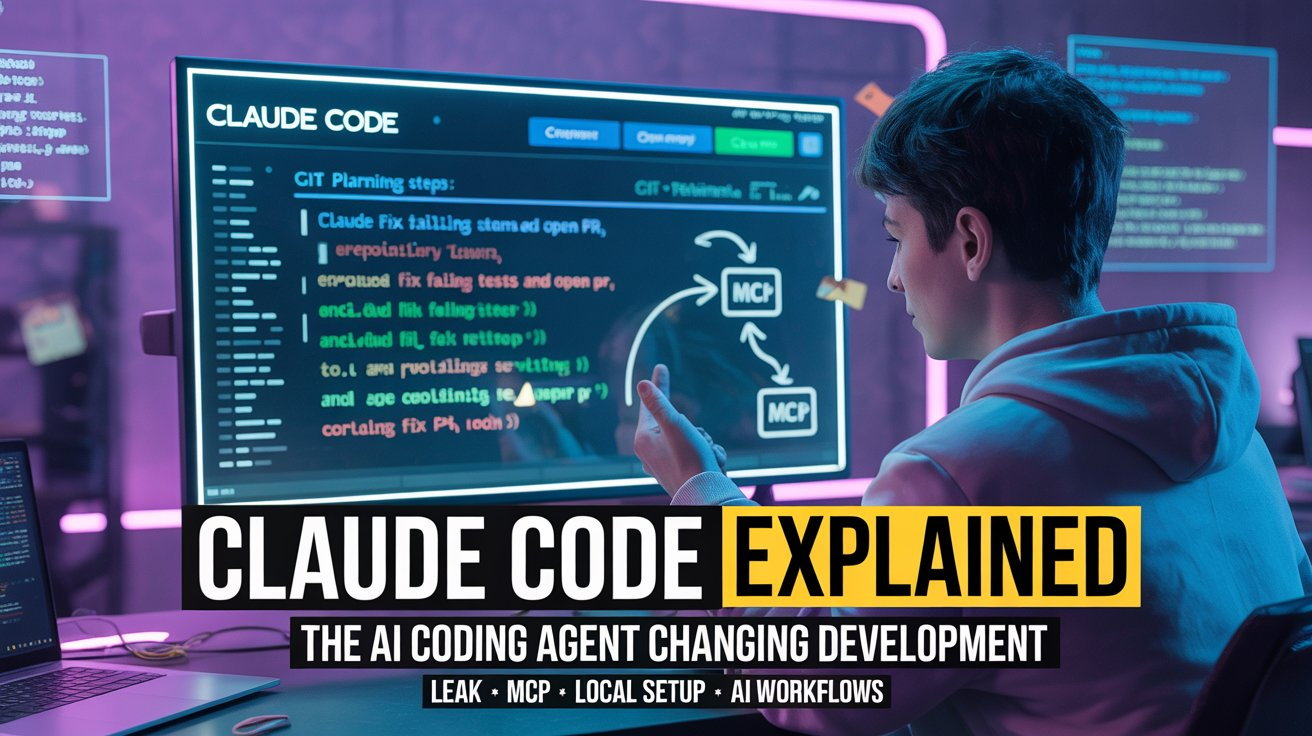
The software development world is changing fast. AI coding tools are no longer just autocomplete assistants that finish your lines of code. Modern AI systems can now analyze repositories, modify files, run tests, open pull requests, and even plan multi-step engineering workflows.
At the center of this transformation is Claude Code, Anthropic’s terminal-first AI coding agent.
In 2026, Claude Code became one of the most discussed developer tools online. Developers on Reddit, X, GitHub, Hacker News, and YouTube started sharing videos showing Claude Code autonomously fixing bugs, implementing features, refactoring repositories, and opening pull requests directly from the terminal.
Then things became even bigger.
A source code exposure incident involving Claude Code triggered massive online discussion. Open-source alternatives like Claw Code exploded in popularity. Security researchers analyzed the leak. Developers started debating whether terminal-based AI agents are the future of software engineering.
This guide explains everything in plain English:
- What Claude Code actually is
- How it works internally
- Why developers are excited about terminal AI agents
- What really happened during the Claude Code leak incident
- How to install Claude Code locally
- How Claude Code compares to Cursor, Windsurf, and GitHub Copilot
- Security risks and privacy concerns
- The future of AI coding agents
If you are a developer, founder, student, or AI enthusiast trying to understand why everyone is talking about Claude Code, this article will give you the full picture.
What Is Claude Code?
Claude Code is an AI coding agent built by Anthropic that runs inside your terminal and helps automate software development workflows.
Unlike traditional coding assistants that only suggest code snippets, Claude Code can:
- Read your repository
- Understand project architecture
- Edit multiple files
- Run shell commands
- Execute tests
- Work with git
- Open pull requests
- Use external tools through MCP servers
- Plan and execute multi-step engineering tasks
In simple terms, Claude Code behaves less like autocomplete and more like a junior software engineer operating inside your terminal.
You can interact with it conversationally.
For example:
claude "fix failing tests and open a pull request"
Claude Code will:
- Analyze your repository
- Run your test suite
- Identify failures
- Modify relevant files
- Re-run tests
- Commit changes
- Open a PR if configured
That is why people describe Claude Code as an “AI coding agent” rather than a simple AI chatbot.
Why Claude Code Became So Popular
1. Terminal-First Workflow
Most developers already spend hours inside terminals using:
- Git
- Docker
- npm
- pytest
- bash
- SSH
- deployment scripts
- CI tools
Claude Code integrates directly into this environment.
Instead of switching between browser tabs, IDE chat windows, and terminal sessions, developers can stay in a single workflow.
This is especially attractive to:
- Backend engineers
- DevOps engineers
- Infrastructure teams
- Linux users
- Open-source maintainers
- Startup developers
For experienced terminal users, Claude Code feels natural.
2. Full Repository Understanding
Traditional coding assistants often only see:
- The current file
- A few surrounding lines
- Limited editor context
Claude Code can inspect entire repositories.
It can:
- Search directories
- Read documentation
- Analyze dependency structures
- Understand architecture patterns
- Compare diffs
- Examine logs
- Scan tests
This larger context window allows better reasoning during complex engineering tasks.
3. Multi-Step Agentic Workflows
One of the biggest reasons Claude Code became popular is its “agentic” behavior.
Instead of answering one question at a time, Claude Code can:
- Gather context
- Build a plan
- Execute actions
- Analyze results
- Retry failures
- Continue until the task is complete
This feels fundamentally different from normal AI chatbots.
Developers are not simply asking for snippets.
They are delegating engineering tasks.
4. Automation of Boring Development Work
Claude Code is especially good at repetitive engineering tasks.
Popular use cases include:
- Fixing lint errors
- Updating dependencies
- Writing boilerplate tests
- Generating changelogs
- Creating release notes
- Refactoring repetitive patterns
- Updating documentation
- Applying feature flags across projects
These workflows consume huge amounts of developer time.
Claude Code dramatically reduces the manual effort involved.
How Claude Code Works Internally
Understanding how Claude Code works helps explain why terminal AI agents are becoming so powerful.
CLI and Terminal Integration
Claude Code is distributed as a command-line interface.
Developers install it globally and run commands using:
claude
or:
claude "implement authentication middleware"
The CLI:
- Connects to Claude models
- Reads local repositories
- Executes shell commands
- Manages tool access
- Stores configuration
- Handles authentication
This creates a bridge between large language models and real development environments.
Repository Indexing
When Claude Code starts working on a task, it needs context.
It begins by exploring your project:
- File structures
- Languages
- Frameworks
- Dependencies
- Configuration files
- Build systems
- Existing tests
This allows the AI to understand how your software is organized.
Large context windows help Claude process significant portions of the repository simultaneously.
The Agentic Loop
Claude Code uses a repeated cycle often called the “agentic loop.”
The process looks like this:
- Gather information
- Plan actions
- Execute commands
- Observe results
- Adjust strategy
- Repeat
For example:
- Claude runs tests
- Tests fail
- Claude reads stack traces
- Claude edits files
- Claude reruns tests
- Claude confirms success
This iterative workflow is what makes AI coding agents feel far more autonomous than autocomplete tools.
Tool Calling
Claude Code uses tools to interact with your system.
Examples include:
File Tools
- Read files
- Write files
- Search directories
- Generate diffs
Shell Tools
- npm test
- pytest
- docker compose
- git commands
- build scripts
Git Tools
- Create branches
- Stage changes
- Commit files
- Open pull requests
MCP Tools
- GitHub
- Jira
- Browsers
- Internal APIs
- Custom integrations
The model decides which tools to call based on your instructions.
What Is MCP in Claude Code?
MCP stands for Model Context Protocol.
It is one of the most important concepts in the modern AI agent ecosystem.
MCP provides a standard way for AI systems to connect with tools, APIs, data sources, and external services.
Think of MCP as a universal plugin system for AI agents.
Claude Code can connect to:
- GitHub servers
- File systems
- Browser automation
- Databases
- Internal enterprise tools
- Custom APIs
This makes Claude Code far more flexible than traditional coding assistants.
Why MCP Matters
Without MCP:
- AI models only generate text
With MCP:
- AI agents can take actions
That difference is huge.
This is why MCP is becoming central to the future of agentic AI systems.
The Claude Code Leak Explained
One of the biggest reasons Claude Code exploded in popularity was the 2026 source code exposure incident.
What Actually Happened?
Anthropic accidentally published a large JavaScript source map file inside the Claude Code npm package.
That .map file contained:
- TypeScript source
- Internal orchestration logic
- Tool integrations
- Prompt templates
- Agent workflows
Developers quickly realized they could reconstruct large portions of Claude Code’s internal architecture.
This was not a traditional “hack.”
It was a packaging mistake.
Why the Leak Was Important
The exposure revealed how advanced AI coding agents actually work behind the scenes.
Developers could study:
- Prompt chains
- Agent loops
- Planning systems
- Tool execution logic
- MCP integrations
- Verification flows
For many engineers, this was the first real glimpse into production-grade AI agent infrastructure.
GitHub Mirrors and Malware Risks
After the leak spread online:
- GitHub mirrors appeared rapidly
- DMCA takedowns followed
- Fake “leaked Claude Code” repos appeared
- Some malicious archives included malware
Security researchers warned developers not to download random “Claude Code leaked” binaries.
Several fake repositories reportedly distributed:
- Info stealers
- Proxy malware
- Credential theft tools
This became a major cybersecurity discussion.
Claw Code and the Open-Source Explosion
One of the most interesting outcomes of the Claude Code leak was the rise of Claw Code.
Claw Code is an open-source AI coding agent framework inspired by Claude Code’s architecture.
Instead of redistributing proprietary source code, developers created clean-room implementations using similar concepts.
Why Claw Code Became Popular
Developers wanted:
- Open-source AI agents
- Self-hosted workflows
- More customization
- Local infrastructure control
- Alternative models
- Community-driven tooling
Claw Code quickly became one of the fastest-growing GitHub projects in the AI tooling ecosystem.
This proved there was massive demand for agentic coding frameworks.
How to Install Claude Code Locally
Installing Claude Code is relatively simple.
Requirements
Before installation, you typically need:
- Git
- Internet connection
- Anthropic account or compatible provider
- Terminal access
- Optional Node.js/npm
Claude Code Setup on macOS
Install Using the Official Installer
curl -fsSL https://claude.ai/install.sh | bash
This installs the Claude Code CLI globally.
Install Using npm
npm install -g @anthropic-ai/claude-code
Start Claude Code
cd my-project
claude
Claude Code will prompt you to authenticate.
Claude Code Setup on Windows
PowerShell Installation
irm https://claude.ai/install.ps1 | iex
npm Installation
npm install -g @anthropic-ai/claude-code
Windows Tips
Developers often use:
- Git Bash
- WSL
- PowerShell
Git Bash and WSL generally provide the smoothest experience.
Claude Code Setup on Linux
Installer Script
curl -fsSL https://claude.ai/install.sh | bash
npm Installation
npm install -g @anthropic-ai/claude-code
Example Claude Code Workflow
Here is what a realistic workflow might look like.
Step 1: Analyze Repository
claude "summarize this repository architecture"
Claude Code scans:
- Services
- APIs
- Frameworks
- Dependencies
- Build systems
Step 2: Fix Tests
claude "fix failing tests and rerun the suite"
Claude Code:
- Executes tests
- Reads logs
- Identifies failures
- Edits code
- Verifies fixes
Step 3: Implement Features
claude "add role-based authentication middleware"
Claude Code may:
- Update backend services
- Modify middleware
- Add tests
- Update documentation
Step 4: Open Pull Request
claude "commit changes and open a PR"
The agent handles:
- Branch creation
- Commit messages
- Git workflows
- Pull request descriptions
Claude Code vs Cursor vs Windsurf vs GitHub Copilot
Claude Code
Best for:
- Terminal-heavy developers
- Backend engineers
- Infrastructure workflows
- AI-driven automation
Strengths:
- Terminal-native
- Strong repository reasoning
- Agentic workflows
- MCP integrations
Weaknesses:
- Requires terminal familiarity
- More complex setup than editor plugins
Cursor AI
Best for:
- Developers wanting a full AI IDE
- VS Code users
- Inline AI editing workflows
Strengths:
- Familiar editor experience
- Strong autocomplete
- Excellent inline editing
Weaknesses:
- Less terminal-native
- More IDE-centric
Windsurf
Best for:
- Teams adopting AI-first workflows
- Enterprise environments
- Multi-agent systems
Strengths:
- Cascade agents
- Enterprise tooling
- Fast workflows
Weaknesses:
- Heavier IDE environment
- More opinionated workflow structure
GitHub Copilot
Best for:
- Developers wanting lightweight AI assistance
- Existing IDE users
- Autocomplete workflows
Strengths:
- Easy adoption
- Great inline suggestions
- Broad ecosystem support
Weaknesses:
- Less autonomous
- Limited agentic capabilities
Benefits of Claude Code
1. Faster Development
Claude Code automates repetitive tasks, allowing developers to focus on architecture and business logic.
2. Better Productivity
Developers can ship features faster while reducing manual effort.
3. Strong Repository Understanding
Claude Code reasons across multiple files and services.
4. Terminal-Native Experience
Developers remain inside their preferred workflow environment.
5. Powerful Automation
Claude Code handles:
- Testing
- Refactoring
- Git workflows
- PR generation
- Documentation updates
Limitations and Risks
AI Hallucinations
Claude Code can still:
- Misunderstand architecture
- Generate incorrect fixes
- Introduce regressions
Human review remains essential.
Security Concerns
Because Claude Code accesses repositories and shell commands, developers must carefully manage:
- Secrets
- Environment variables
- Access permissions
- MCP server scope
Cloud Dependency
Claude Code relies on cloud-hosted models.
It is not fully offline.
Legal Risks Around Leaked Repositories
Using direct copies of leaked proprietary source code may create legal exposure.
Developers should avoid downloading unverified archives.
Is Claude Code Safe?
Claude Code can be safe when used responsibly.
Best Practices
- Install only from official sources
- Use least-privilege permissions
- Restrict filesystem access
- Review all generated code
- Verify MCP integrations
- Use strong CI/testing workflows
Developers should treat AI coding agents like powerful automation systems.
They are useful, but they require oversight.
The Future of AI Coding Agents
Claude Code represents a much larger trend.
Software development is moving from:
- AI autocomplete
Toward:
- AI agents
The next generation of tools will likely include:
- Autonomous coding workflows
- Multi-agent collaboration
- AI-driven CI systems
- Automated issue triage
- Intelligent repository management
- Infrastructure automation
- Local/self-hosted agent ecosystems
Terminal-based AI may become one of the dominant interfaces for advanced engineering work.
Will AI Replace Developers?
AI coding agents are changing software development dramatically.
But they are not fully replacing developers.
Instead, they are automating repetitive implementation work.
Human engineers still handle:
- Product decisions
- System design
- Architecture
- Security reviews
- Business logic
- Trade-offs
- Communication
- Team coordination
The most successful developers in the coming years will likely be the ones who learn how to collaborate effectively with AI agents.
Final Verdict
Claude Code is one of the most important AI coding tools of 2026.
It combines:
- Terminal workflows
- Repository understanding
- Multi-step reasoning
- Automation
- MCP integrations
- Agentic execution
For developers comfortable with the command line, Claude Code offers a glimpse into the future of software engineering.
The rise of tools like:
- Claude Code
- Cursor
- Windsurf
- Claw Code
- Devin-style agents
shows that software development is rapidly shifting toward AI-assisted workflows.
The future will likely belong to developers who know how to direct AI systems effectively rather than manually typing every line of code themselves.
FAQ
Q: What is Claude Code?
Claude Code is Anthropic’s terminal-based AI coding agent that can analyze repositories, edit files, run commands, execute tests, and automate development workflows.
Q: Is Claude Code free?
The CLI is free to install, but usage typically requires an Anthropic subscription or API access.
Q: Can Claude Code work offline?
No. Claude Code relies on cloud-based models and internet access.
Q: What is MCP?
MCP stands for Model Context Protocol, a system that lets AI agents connect with tools, APIs, and external services.
Q: What happened during the Claude Code leak?
A source map file accidentally exposed parts of Claude Code’s internal TypeScript source through the npm package.
Q: Is it safe to download Claude Code leak repositories?
No. Many fake repositories contained malware or malicious binaries.
Q: What is Claw Code?
Claw Code is an open-source AI coding agent framework inspired by Claude Code’s architecture.
Q: Which is better: Claude Code or Cursor?
Claude Code is better for terminal-native workflows and automation, while Cursor is better for developers who prefer an AI-first IDE.
Q: Can Claude Code open pull requests?
Yes. Claude Code can automate git workflows and open PRs when configured properly.
Q: Is Claude Code suitable for beginners?
Yes, but developers with terminal experience will benefit the most.
Conclusion
Claude Code is not just another AI coding assistant.
It represents a major shift toward agentic software development.
By combining terminal-native workflows, repository awareness, MCP integrations, and autonomous task execution, Claude Code is redefining how developers interact with software projects.
Whether you are experimenting with AI coding agents for the first time or building advanced automation pipelines, understanding Claude Code today will help you prepare for the future of software engineering.
The biggest question is no longer:
“Will AI help developers write code?”
The real question is:
“How will developers adapt when AI agents can operate entire engineering workflows?”



1 Comment