

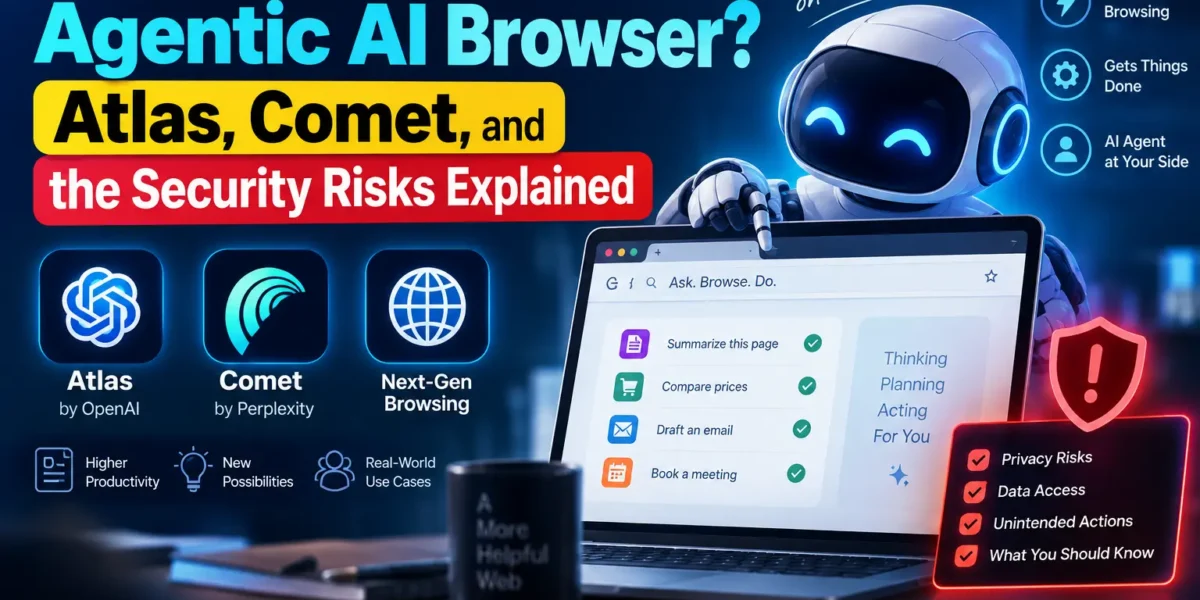
An agentic AI browser is a regular web browser with an AI agent built in that can click buttons, fill out forms, and complete multi-step tasks for you — not just answer questions about the page you’re on. OpenAI’s ChatGPT Atlas and Perplexity’s Comet already do this today, and Google has added similar “agent mode” features to Chrome. But a June 2026 University of Washington study found that most agentic AI browsers can be tricked into leaking your data, so the convenience comes with real trade-offs worth understanding before you hand one your logged-in accounts.
Key Takeaways
- An agentic AI browser adds an AI agent that can browse, click, and fill out forms on your behalf — it doesn’t just chat about the page you’re viewing.
- The current leaders are OpenAI’s ChatGPT Atlas, Perplexity’s Comet, and Google’s Chrome with Gemini’s agent mode, plus Anthropic’s Claude for Chrome.
- Microsoft retired the standalone “Copilot Mode” toggle in Edge in May 2026 and folded simpler AI features into the main browser instead.
- A University of Washington study found 4 of 7 agentic browsers tested (57%) could be manipulated into bypassing the same-origin policy, a core web security rule from 1995.
- The main risk is “prompt injection” — hidden instructions on a webpage that trick the AI agent into acting against your interests without you noticing.
What Makes a Browser “Agentic”?
“Agentic” means the AI can take multiple actions on its own to reach a goal, rather than just answering a single question. A regular AI browsing sidebar — like asking a chatbot to summarize the article you’re reading — only reads and responds. An agentic browser goes further: you can type “find me the cheapest flight to Chicago next weekend and add it to my calendar,” and the AI will open tabs, compare prices, click through checkout flows, and finish the task with minimal input from you.
That extra capability is exactly what makes agentic browsers both useful and risky. To do real work, the agent often needs access to your logged-in sessions — your email, your shopping accounts, sometimes your bank. A tool that can act on your behalf inside those accounts is powerful, but it also means a mistake (or a manipulated instruction) can do real damage.
The Major Agentic AI Browsers in 2026
ChatGPT Atlas (OpenAI)
OpenAI describes ChatGPT Atlas as “a new web browser built with ChatGPT at its core.” Its Agent Mode can complete tasks like researching a topic across multiple tabs or filling out a form, though OpenAI has built in limits — the agent can’t download files, run code, or access your file system. It also has “browser memories,” which let you ask things like “find all the job postings I looked at last week and summarize the trends.”
Perplexity Comet
Perplexity’s Comet was one of the first mainstream agentic browsers and has since expanded to Android with voice features. It leans on Perplexity’s search-and-answer engine to research and act across tabs, and it’s a frequent subject of independent security research because of how deeply it integrates with logged-in websites.
Chrome with Gemini, and Claude for Chrome
Google has built Gemini-powered agent features directly into Chrome, letting the browser’s built-in assistant act on pages rather than just chat about them. Anthropic has taken a narrower approach with Claude for Chrome, an extension-based agent that’s still rolling out gradually as the company studies the same security trade-offs covered below.
Notably, Microsoft retired the standalone “Copilot Mode” experiment in Edge in May 2026, rolling its AI browsing features into the standard Edge experience across desktop and mobile instead of keeping it as a separate, opt-in mode.
How Does an Agentic AI Browser Actually Work?
Under the hood, an agentic AI browser reads the structure of the webpage you’re on (its text, buttons, and links), interprets your natural-language request, and plans a sequence of steps — click this, type that, scroll down, submit — to carry it out. Some browsers layer “memory” on top, storing summaries of pages you’ve visited so the agent can answer questions about your own browsing history later.
The important detail is that the agent reads everything on a page, including text a human wouldn’t normally notice — invisible text, hidden form fields, or instructions buried in an image’s alt text. That’s the exact weakness attackers have started to exploit.
The Security Risk: What a 2026 Study Found
In June 2026, researchers at the University of Washington tested seven popular agentic AI browsers, including ChatGPT Atlas, Chrome with Gemini, Claude for Chrome, and Perplexity Comet. Four of the seven — 57% — created ways to bypass the “same-origin policy,” a foundational web security rule dating back to 1995 that’s supposed to stop one website from reading data belonging to a different website open in another tab.
The researchers tested two main attack types. The first, prompt injection, involves a malicious webpage that hides instructions — often in invisible text — telling the AI agent to do something the user never asked for, like copying sensitive information to another site. The second, memory poisoning, exploits how agents store and combine information from different sources over time, potentially mixing data that should have stayed separate. In one proof-of-concept, researchers successfully used ChatGPT Atlas to steal information from one embedded website and hand it to another.
Co-senior author David Kohlbrenner put it bluntly: “Browser agents aren’t ready for the public… you should not trust that these systems are ready to truly protect your information.” It’s a theme that’s shown up repeatedly this year — we’ve also covered how AI agents were used to breach 395 organizations in the PaperCut attack, and how an OpenAI agent editing a public wiki went off the rails. Agentic AI browsers are simply the newest place this same category of risk shows up, because the “actions” now happen inside your browser instead of a sandboxed tool.
How to Use an Agentic AI Browser Safely
None of this means agentic browsers are unusable — it means they deserve the same caution you’d give any tool that can act on your accounts. A few practical habits go a long way, and they echo the same advice we gave in our look at how AI agents can be turned into attack tools:
- Use a separate browser profile for agent tasks — one without your banking or primary email logged in.
- Review each step before approving “auto-run” or “auto-approve” settings, especially for purchases or account changes.
- Avoid pointing an agent at unfamiliar or untrusted websites, since that’s where hidden prompt-injection text is most likely to live.
- Keep the browser updated — vendors are actively patching these exact vulnerabilities as researchers report them.
- Skip agent mode entirely for anything involving passwords, payments, or sensitive personal data until the security track record improves.
Should You Use One?
For low-stakes tasks — research, comparison shopping, summarizing articles across tabs — agentic AI browsers can genuinely save time today. For anything touching sensitive accounts, it’s worth waiting. The UW study makes a fair point: these tools are moving faster than the security work needed to make them trustworthy, and “it mostly works” isn’t the same bar as “it’s safe.”
Frequently Asked Questions
What is an agentic AI browser?
An agentic AI browser is a web browser with an AI agent built in that can carry out multi-step tasks for you — like filling out a form, comparing prices across tabs, or booking an appointment — instead of only answering questions about the page you’re viewing.
Is ChatGPT Atlas safe to use?
ChatGPT Atlas has built-in guardrails, like blocking its agent from downloading files or running code, but the June 2026 University of Washington study found it could still be manipulated into leaking data between websites. It’s reasonably safe for casual research, but riskier for tasks involving logged-in financial or email accounts.
What happened to Microsoft Edge’s Copilot Mode?
Microsoft retired the standalone Copilot Mode toggle in Edge in May 2026. Rather than keeping it as a separate opt-in mode, Microsoft folded simplified AI browsing features directly into the regular Edge experience on desktop and mobile.
What is prompt injection in an AI browser?
Prompt injection is when a webpage contains hidden instructions — often invisible text or text buried in an image — that an AI agent reads and follows as if a person had typed them, potentially causing it to leak data or take unintended actions.
Do I need an agentic AI browser right now?
Not necessarily. They’re genuinely useful for low-stakes research and comparison tasks, but given the current security research, most people are better off avoiding agent mode for anything involving passwords, payments, or sensitive accounts until the tools mature.
Agentic AI browsers are still early technology moving at a breakneck pace — this space will look different again by the end of the year. If you try one, start with low-stakes tasks, keep a close eye on what it’s doing, and treat “it can act on your behalf” as a reason for more caution, not less.





2 Comments