

How to Use Google Search Pro Tool
Step 1 – Copy your Search Query once you have enter search details
Step 2 – Go to google.com
Step 3 – Paste your Query and Hit Search
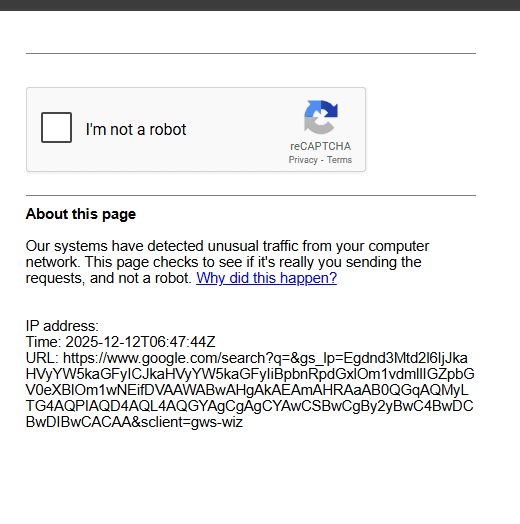
Step 4 – Solve the Captcha, Results will be shown
Frequently Asked Questions:
1. What is Google Search Pro?
Google Search Pro is an advanced search interface that helps users generate precise Google queries using operators such as intitle:, inurl:, filetype:, OR, AND, NOT (-), and more. It simplifies Google dorking by converting multiple inputs into a ready-to-use search string.
2. How does Google Search Pro help with Google dorking?
The tool organizes all major Google dorking operators into structured fields—titles, keywords, exclusions, file types, websites, date ranges—so users can create powerful OSINT and research queries without memorizing commands.
3. Which search operators does the tool support?
It supports a wide list of operators, including:
- intitle:
- inurl:
- filetype: (PDF, DOC, MP4, etc.)
- site:
- ext:
- OR / AND
- “-” (exclude)
- related:
- cache:
- before: and after: for date filters
- exact match (“ ”)
- wildcards (*)
New operators can be added anytime based on user needs.
4. Can Google Search Pro find hidden or hard-to-locate information?
Yes. By combining operators such as site:, inurl:, filetype:, and intitle:, the tool can reveal publicly available but hard-to-find information, commonly used in OSINT, research, cybersecurity investigations, and competitive analysis.
5. Is this tool safe and legal to use?
Yes. Google dorking itself is legal when used only to access publicly available information. Google Search Pro does not bypass security—users must follow ethical and legal guidelines.
6. Does Google Search Pro work on all browsers?
Yes. The tool works on any modern browser including Chrome, Firefox, Brave, Edge, and Safari, as long as JavaScript is enabled. No installation is required because it runs directly in the browser.
7. Will it work on mobile devices?
Yes. Google Search Pro is lightweight and responsive. It works on Android and iOS, though desktop offers the best experience for long queries.
8. Can I combine multiple operators in one search?
Yes. The tool is designed to merge all inputs into a single optimized query. For example, you can mix:intitle:"report" filetype:pdf site:gov "climate change" -draft OR "2024"
Your interface builds these complex queries automatically.
9. Can I use Google Search Pro for OSINT investigations?
Yes. It is suitable for researchers, cybersecurity analysts, students, journalists, and anyone needing precise search results. It helps uncover publicly indexed data from specific file types, websites, and directories.
10. Does the tool support exporting or saving queries?
Yes. You can copy the final query with one click, and the next version can include features like saving presets, exporting past queries, or sharing URLs for team workflows.